Your app should feel like yours. That's why Chillverse ships with 12 hand built themes: 3 free, 9 exclusive to Void.
Free Themes
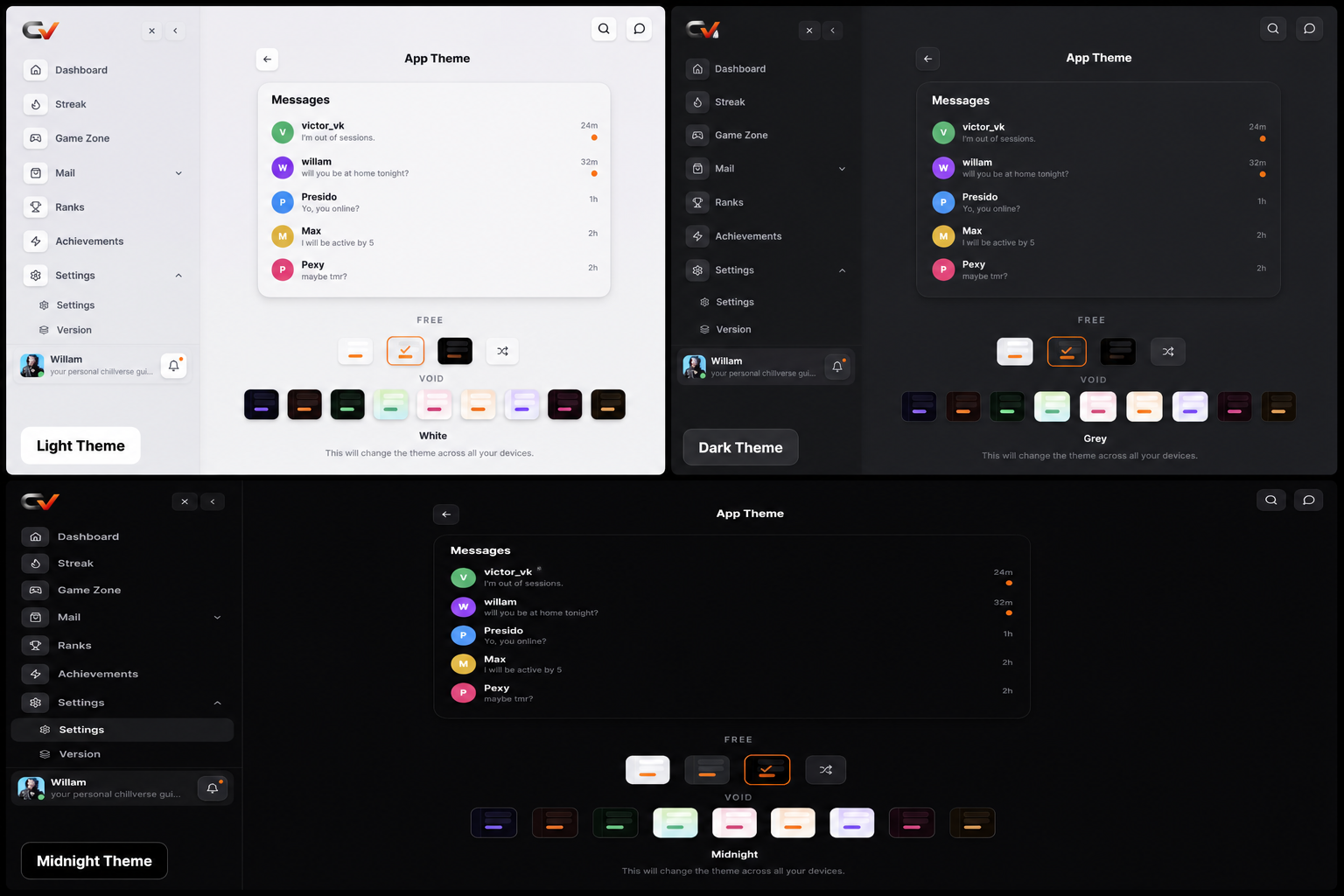
White, clean and minimal Grey, neutral, easy on the eyes Midnight, the default, dark and focused
Void Themes
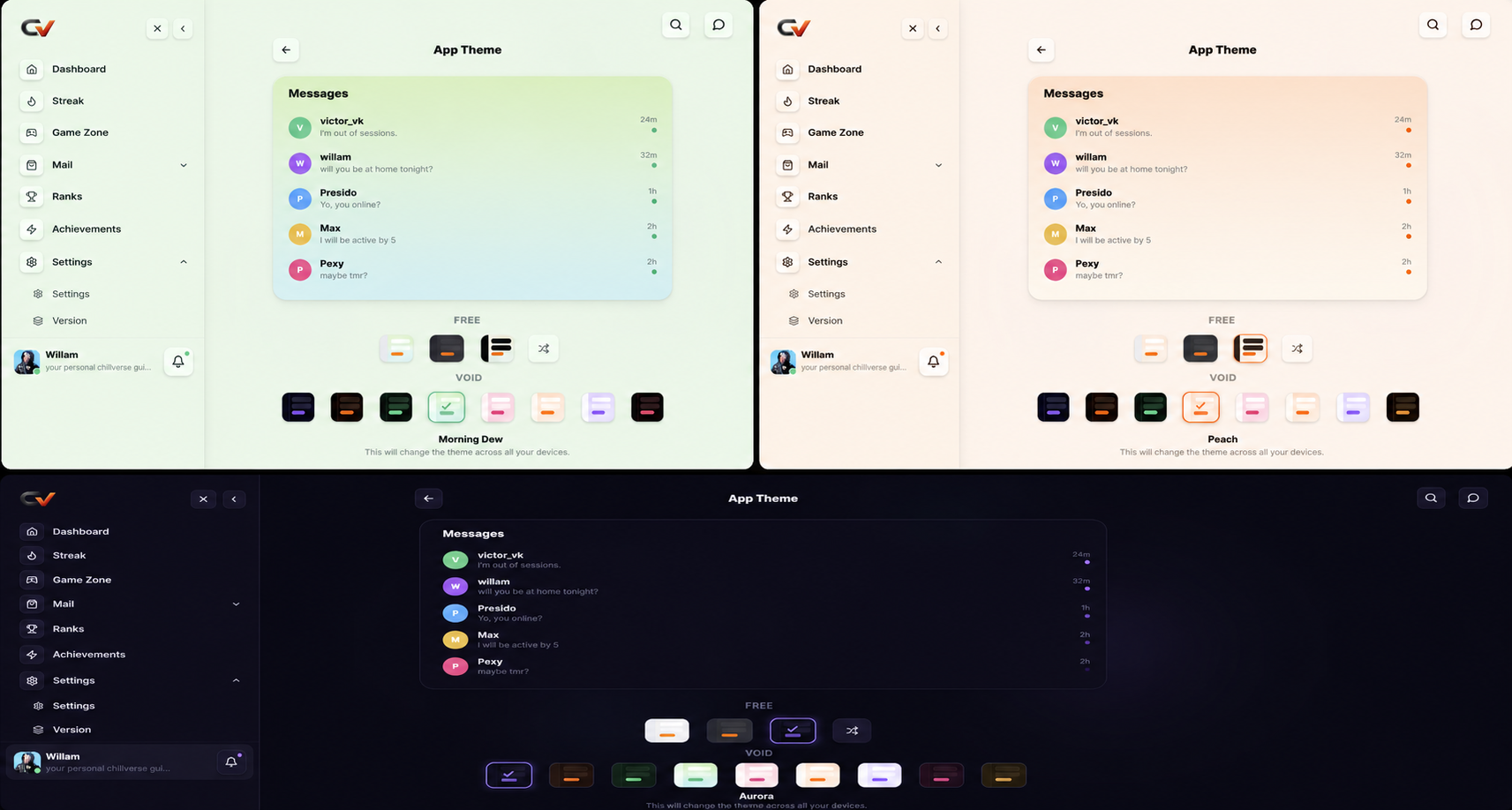
Colored light Aurora, violet to cyan gradient Sunset, pink to gold gradient Emerald, deep green with neon accents
Pastel washes Morning Dew, soft green to blue Sakura, blush pink Peach, warm cream and orange Lilac, lavender to periwinkle
Deep tones Velvet, plum and magenta Cocoa, espresso and amber
Your accent color stays the same across every theme, so buttons, badges, and links never lose their identity. Only the background, surfaces, and text shift.
How to Switch
On mobile :
{{video:ambient:https://gnobzfxtxrtcxfhhfjni.supabase.co/storage/v1/object/public/blog-videos/e2a08967-976b-4abe-8e0f-df87ffbf5a18/76ccaa61-766e-45ac-869b-62511b84d4e8.mp4}}
- Open Settings
- Tap App Theme
- Browse Free and Void strips, or hit Shuffle for a random free theme
- Tap any swatch to preview it live, then apply
On desktop : same process
{{video:ambient:https://gnobzfxtxrtcxfhhfjni.supabase.co/storage/v1/object/public/blog-videos/e2a08967-976b-4abe-8e0f-df87ffbf5a18/d0c0c422-3c17-4b3b-82fc-7339fe11e4ed.mp4}}
Void themes can be previewed before you unlock them. Tap one and see it rendered in the live preview panel before committing.
Why Go Void
Void unlocks the full 9 theme set, including moody deep tones and soft pastel palettes you won't find in the free tier, on top of everything else Void includes.
Ready for a new look? Head to Settings → App Theme and find yours.